Lecture
Set 3 - Functions
Required Reading – HK (Hanly/Koffman), Chapter 3 (initially 3.1-3.4)
Then 3.5 to the end
Study
Carefully:
The
Area and Circumference Case Study
Section
3.2 on Library Functions, especially Table 3.1
The
Simple Diagrams Case Study
Section
3.4 on Functions without arguments
You
may skip the Washer Weight Problem
Required Assignments – Lab 2: Block Letters
We
begin with a problem.
CIS071 F2003 Lab02 Block
Initials Display
Objectives: Using functions within a program
structure;
Block Initials Display: Write a program to display 3 different
letters in block character form (see example below for H L W). Choose relevant
letters such as your initials or the first 3 letters of your first or second
name etc. Each letter is generated by a “block” function. For example, function
block_W is coded as:
void block_W(){ printf("* *\n"); printf(" * * * \n"); printf(" * * * * \n"); printf(" * * \n"); printf("\n");}
Now
we talk about how to solve this problem.
How do we begin?
=> with a behavior diagram
and data table
Now that we have the behavior diagram and data table, we introduce a new idea to help us write this program. The new idea is the concept of writing user-defined functions.
To write and use our own functions, there are three things we must do.
n Declare the Function: We do this with a function prototype, which declares or defines the function. This declaration provides a complete description of the function interface. Function prototypes usually precede main. They tell the compiler and us what a function will do, but not HOW it will do it.
n Write the Function Definition: The definition consists of a body and a header. The header is virtually a repeat of the prototype. The body contains the declaration and the executable statements for the function.
n Write the Call(s) to the Function: These calls cause the function to execute and return values (if there are any to be returned). While there is one prototype and one definition per function, there may be many calls, with different arguments.
Note that the functions you write are totally disconnected from each other except for
- the prototype (needed by the compiler)
- the function call (“connects” one function to another during execution)
Before we look at all the rules related to these three aspects of writing functions, we look at an example.
A. Declare a prototype
1. The prototype is placed in the code before function main and has a semi-colon at the end of the line.
The prototype specifies the function
name
return type
number and type of input arguments (formal parameters)
The prototype is the interface (sometimes called the signature or footprint) of the function and declares (defines) how the function must be used used. It tells the compiler all it needs to know to properly translate the calls to the function. (We will better understand why this is a problem when we write functions with arguments).
The prototype or interface of a function tells a user
all that he or she needs to know to be able to correctly use the
function. In other words, the interface describes to the outside world all it
needs to know to use the function. It
describes the “connection” between the function and its users (callers).
If the interface is not right or not understood, nothing else will
work!
2. General form of the function prototype
// Function to do x, y, and z (whatever they may be) …
type
fname (formal-argument-type-list);
where:
type is the function return type
fname is the function name
formal-argument-type-list
is the type and, optionally, name of each input argument
; is the function prototype terminator
This looks like something we have seen before in our
programs. What is it?
It
is the definition (declaration) of an identifier – in this case of a function
name.
Recall
– NO IDENTIFIER MAY BE USED BEFORE IT IS DEFINED.
This
does not define the function (that is step two). It only defines the function interface.
Example 1:
//
Print out instructions for the user
void
instruct ();
The function return type is void which means that the function does NOT return a value
The function name is instruct
The function formal-argument-type-list is empty which means that the function has no arguments
Example 2:
//
Calculate the area of a figure given …
double
find_area (char, double, double);
The function return type is double which means that the function will return a double value
The function name is find_area
The function formal-argument-type-list consists of a char type in the first position, a double type in the second position and a double type in the third position which means that the function is expecting 3 input arguments with the first of type char, the second of type double and the third of type double
Example 3:
// Calculate area of a rectangle given its length and width
int calc_rectangle_area
(int length, int width);
The function return type is int which means that the function will return an int value
The function name is calc_rectangle_area
The function formal-argument-type-list consists of an int type in the first position and an int type in the second position which means that the function is expecting 2 input arguments
with the first of type int and the second of type int
Note that even though the first argument is named "length" and the second argument is named "width", there is no connection between these names and the names used as the formal arguments in the function definition or the names of the actual arguments passed in the call to the function itself!
B. Define the function body
The second thing we must do in writing our own functions is define function implementation. The implementation consists of a header and a body.
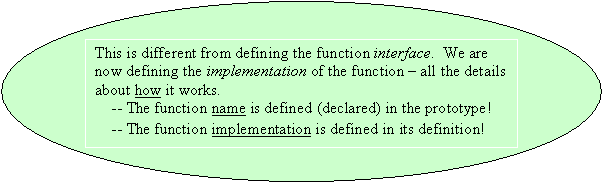
1. The function body is placed in the code after the end of the main function and uses curly braces { } to indicate the beginning and ending of the function body (Note that there is NO semi-colon at the end of the function body!)
2. The function body specifies the function return type, name and number and type of input arguments (formal parameters) and contains the statements that will be executed when the function is called or used
3. General form of the function body
//
This is what the function does …
type
fname (formal-argument-type-list)
{
executable-statements;
return (return-value);
}
where:
type is the function return type
fname is the function name
formal-argument-type-list
is the type and name (now required) of the input argument list
executable-statements;
are the statements that will be executed when the function is called
return (return-value);
is the value returned by the function to the calling program code if the
function is NOT void
4. If the function type is void then the function must NOT return a value to the calling program, void functions do NOT have a return statement at the end of the function
5. If the function type is NOT void then the function MUST return a value to the calling program code, non-void functions MUST have a return statement at the end of the function
6. The return value MUST be of the same type as the function
Example 1:
void instruct ()
{
printf ("This function will instruct you");
}
· The function return type is void which means that the function does NOT return a value so there is no return statement
· The function name is instruct
· The function formal-argument-type-list is empty which means that the function does NOT accept input arguments
· The printf will be executed when the function is called
Example 2:
int
calc_rectangle_area (int length, int width)
{
int area;
area = length * width;
return (area);
}
· The function return type is int which means that the function will return an int value to the calling program code and MUST therefore have a return statement
· The function name is calc_rectangle_area
· The function formal-argument-type-list consists of an int type named length in the first position and an int type named width in the second position which means that the function expects 2 input arguments with the first of type int and the second of type int
· The function declares a variable named area, calculates the area using the length and width passed in as arguments and returns the calculated area to the calling program code
· Note that the first argument is named "length" and the second argument is named "width", these are local variables that are "visible" inside the function but no where else and can be used within the function
· When the function is called or used the local variables length and width will be allocated in the function memory segment of RAM and they will be initialized to the values that were passed into the function when the function was called
C. Call the function
The third thing we need to do is call the function whenever we need it. Note that there is always just one function declaration and one implementation (definition). But there can be multiple calls to a given function.
1. The function call can be used in the program code itself the same way that any other valid C statement can be used
2. Functions can be called in main or any other function and can be called as often as necessary or not at all
3. Function calls that return a value can be used either with or without the a return value but a function that does not return a value can NOT be used to return a value
Example 1: The function calc_rectangle_area defined above can be used as:
/* Not using the return value from the function since
we're calling the function without assigning or using
the return value in any way. The return value is ignored
*/
calc_rectangle_area (10, 20);
or
/* Using the return value as an integer value substituted
into the printf string for the %d
*/
printf ("Area = %d\n", calc_rectangle_area (10, 20));
Example 2: The function instruct defined above can be used as:
/* Not using the return value from the function since
we're calling the function without assigning or using
the return value in any way, it's ignored
*/
instruct ();
but NOT
/* Wrong, instruct can NOT return a value so we can't use
it in the code where a value is expected
*/
printf ("Instruct = %d\n",
instruct ());
because instruct is defined as a void function which means that the function does not
return a value
Analyzing the “flow of execution” when functions are called …
Example 1: Consider the following lines of code
#include <stdio.h>
/* Function prototypes */
// Draw a square
void draw_square();
// Draw a circle
void draw_circle();
// Draw a triangle
void draw_triangle();
int main()
{
draw_circle(); // Draw
a circle
draw_triangle(); // Draw a triangle
draw_square(); // Draw
a square
return (0);
}
/* Function definitions */
/* Note that the order in
which the function
definitions appear is not important
*/
// Draws a square
void draw_square()
{
printf("*******\n");
printf("*
*\n");
printf("*
*\n");
printf("*
*\n");
printf("*******\n");
} // end draw_square
// Draws a triangle
void draw_triangle()
{
printf(" * \n");
printf(" * * \n");
printf(" * *
\n");
printf("*
*\n");
printf("*******\n");
} // end draw_triangle
// Draws a circle
void draw_circle()
{
printf(" *** \n");
printf(" * *
\n");
printf("*
*\n");
printf(" * *
\n");
printf(" *** \n");
} // end draw_circle
Execute the line of the main function beginning with the line
draw_circle();
Transfer control to the draw_circle() function
Execute the line of draw_circle - printf(" ***
\n");
Execute the line of draw_circle - printf(" * * \n");
Execute the line of draw_circle - printf("* *\n");
Execute the line of draw_circle - printf(" * * \n");
Execute the line of draw_circle - printf(" ***
\n");
Transfer control back to the main function after draw_circle()
Execute the main function line
draw_triangle();
Transfer control to the draw_triangle() function
Execute the line of draw_triangle - printf(" * \n");
Execute the line of draw_triangle - printf(" * *
\n");
Execute the line of draw_triangle - printf(" * * \n");
Execute the line of draw_triangle - printf("* *\n");
Execute the line of draw_triangle - printf("*******\n");
Transfer control back to the main function after draw_triangle()
Execute the main function line - draw_square();
Transfer control to the draw_square() function
Execute the line of draw_square - printf("*******\n");
Execute the line of draw_square - printf("* *\n");
Execute the line of draw_square - printf("* *\n");
Execute the line of draw_square - printf("* *\n");
Execute the line of draw_square - printf("*******\n");
Transfer control back to the main function after draw_square()
Execute the main function line –
return (0);
End of program, transfer control back to the operating system
Example 2: (Review of the area of a rectangle program)
2) Flow of execution for the program above
Execute the line of the main function - printf ("Enter the length > ");
Execute the line of the main function - scanf ("%d", &length);
Execute the line of the main function - printf ("Enter the width > ");
Execute the line of the main function - scanf ("%d", &width);
Execute the line of the main function - area = calc_rectangle_area (length, width);
Transfer control to the calc_rectangle_area function
Allocate the function argument variables l and w (calc_rectangle_area
function address space) and initialize them to the values that were "passed in"
Allocate the local variable area (calc_rectangle_area function address space)
Execute the line of calc_rectangle_area function - area = l * w;
Execute the line of the main function - return (area);
Transfer control back to the main function after the call to
calc_rectangle_area() returning the value of the local variable area
(calc_rectangle_area function address space) to the caller
Assign the value returned from the call to calc_rectangle_area to the local
variable area (main function address space)
Execute the line of the main function - printf ("area = %d\n", area);
Execute the line of the main function –
printf
("calc_rectangle_area = %d\n",
calc_rectangle_area
(length, width));
Transfer control to the calc_rectangle_area function
Allocate the function argument variables l and w (calc_rectangle_area
function address space) and initialize them to the values
that were "passed in"
Allocate the local variable area (calc_rectangle_area function address
space)
Execute the line of calc_rectangle_area function - area = l * w;
Execute the line of the main function - return (area);
Transfer control back to the main function after the call to
calc_rectangle_area() returning the value of the local variable area
(calc_rectangle_area function address space) to the caller
Substitute the value returned from the call to calc_rectangle_area into the
printf string and complete the printf
Execute the line of the main function - return (0);
End of program, transfer control back to the operating system
Complete Development of Program Using Functions with Input Arguments
Drawing male and female stick figures
Scope of identifiers
- The scope of an identifier determines where that identifier can be referred to in the program code
- Identifiers are variable or function names that are referred to in the program code.
Example 1: Consider the following code.
int
global_function ( int, double );
int
global_variable;
int
main ()
{
int
local_variable;
...
}
Here, the identifiers (the function and variable names) main, global_function, global_variable
and local_variable all have a specific and well-defined scope.
We can understand that scope as follows:
1. Identifiers that are declared before the main function have a global scope and can be referred to anywhere in the program code
Normally, constants, macros, and functions are declared BEFORE the main function so that they have a "global" scope and are "visible" throughout the program code
2. Identifiers that are declared AFTER the main function have a "limited
global" scope and can be referred to in any function code that occurs
after the identifier is declared
3. Identifiers that are declared WITHIN a specific function have a "local"
scope and are "visible" only within that specific function
Function arguments are considered "local" to the function and are not
"visible" outside that function